Shopify Audiences: The Ad Targeting Advantage Most Stores Don't Know About
If you’re running ads for a Shopify store, you’re probably building audiences the old way - interest targeting, lookalikes from your customer list, maybe some retargeting pixels that half-work since iOS 14.
There’s a better option sitting inside your Shopify admin right now, and most stores either don’t know about it or haven’t set it up.
It’s called Shopify Audiences.
What Shopify Audiences Actually Is
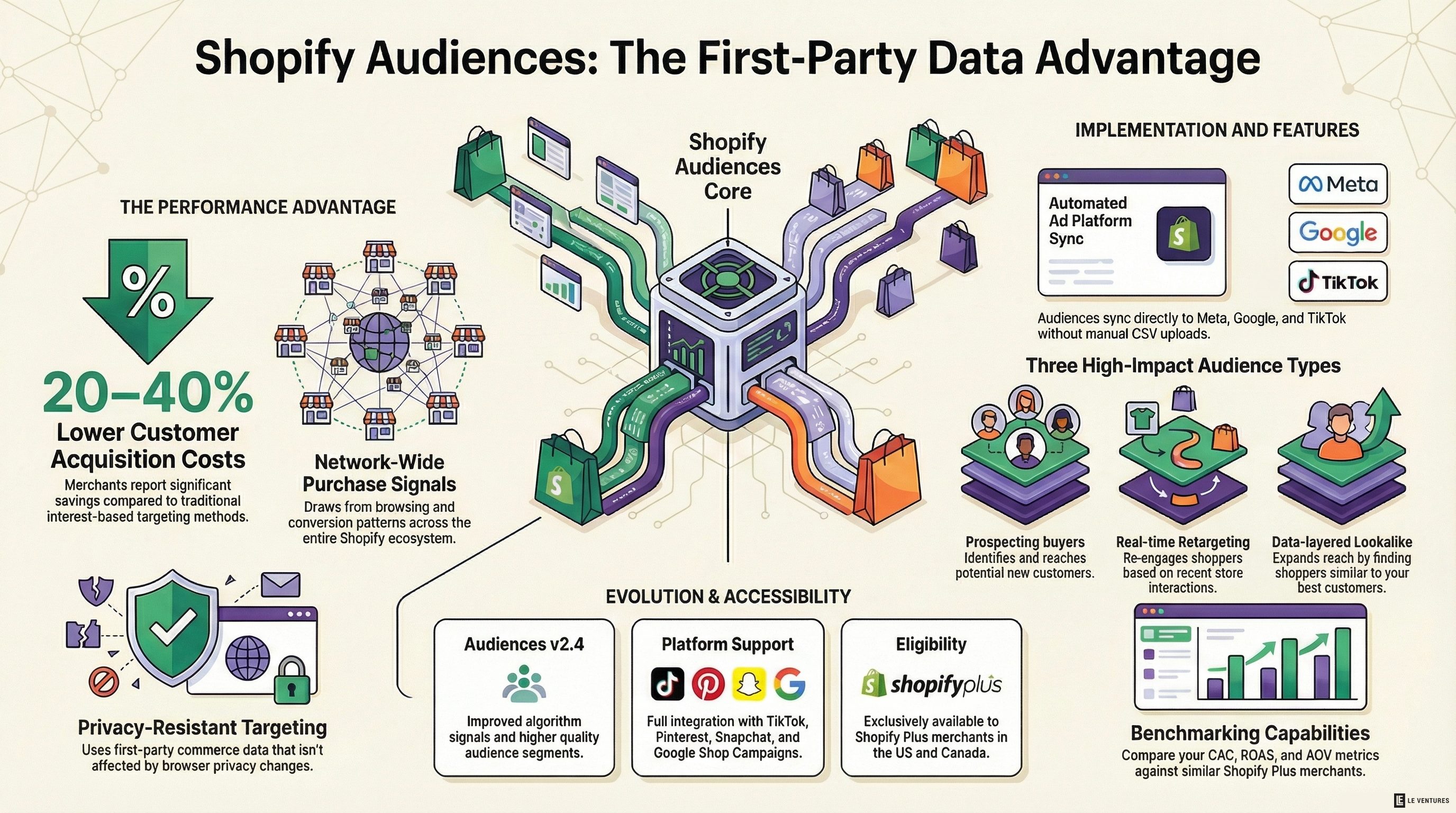
Shopify Audiences is a tool that builds custom ad audiences using aggregated data from across the Shopify network. Not just your store - millions of stores.
Here’s why that matters. When you build a lookalike audience on Meta, you’re giving Meta your customer list and asking it to find similar people. That’s one store’s data. Shopify Audiences draws from purchase signals, browsing behavior, and conversion patterns across the entire Shopify ecosystem. It knows what people buy, when they buy, and what they’re likely to buy next - at a scale no single store can match.
The result is audience segments that consistently outperform standard targeting. Merchants are reporting 20-40% lower customer acquisition costs compared to interest-based targeting. That’s not a marginal improvement. That’s the difference between profitable ads and break-even ads.
How It Works
Shopify Audiences generates ready-to-use audience lists that you export directly to your ad platforms - Meta, Google, TikTok, Snapchat, Pinterest, and Criteo.
You don’t upload CSVs. You don’t build segments manually. Shopify does the work and syncs the audiences to your ad accounts automatically.
There are a few audience types:
Prospecting audiences find new customers who look like buyers across the Shopify network - not just your buyers, but buyers in your category across thousands of stores.
Retargeting audiences target people who visited your store or abandoned their cart. These update in real time as people interact with your site, which is a big deal since most retargeting audiences refresh on a delay.
Lookalike boost audiences layer Shopify’s network data on top of your existing lookalikes to sharpen them. Think of it as giving Meta better raw material to work with.
Why This Matters More Now Than a Year Ago
Two things changed.
First, the algorithm got significantly better. Audiences v2.4 uses improved signals and more data points than the original version. The quality of the segments has gone up noticeably - early adopters are seeing better results now than they did when Audiences first launched.
Second, Shopify expanded platform support. TikTok integration got a major upgrade, and Audiences now ties into Shop Campaigns (Google Shopping, YouTube, and Google Search ads). That means you can layer Shopify Audiences targeting on top of your Google campaigns - something that wasn’t possible before.
The Catch
Shopify Audiences is only available to Shopify Plus merchants in the US and Canada. If you’re on a standard Shopify plan, you don’t have access yet.
That’s a real limitation. But if you’re on Plus - or considering the upgrade - Audiences is one of the strongest reasons to be there. The ad performance improvement alone can justify the cost difference for stores spending serious money on acquisition.
How to Set It Up
If you’re on Shopify Plus:
- Go to your Shopify admin and open the Audiences app
- Connect your ad platform accounts (Meta, Google, TikTok, etc.)
- Shopify will generate your first audience segments automatically
- Export them to your connected ad platforms
- Create campaigns using the Shopify Audiences segments
A few things to get right:
Don’t replace your existing campaigns immediately. Run Shopify Audiences segments alongside your current targeting. Compare performance over 2-3 weeks before shifting budget.
Use prospecting audiences for top-of-funnel. These work best for finding new customers, not converting warm leads. Pair them with your own retargeting for the full funnel.
Check the benchmarking feature. The Winter ‘26 update added benchmarking that compares your store’s metrics (CAC, ROAS, AOV) against similar Shopify Plus merchants. Use this to understand whether your numbers are competitive or if there’s room to improve.
Layer, don’t replace. Shopify Audiences works best as an additional signal, not a replacement for everything you’re already doing. Add it to your media mix and let the data show where it performs.
What This Means for Your Ad Strategy
The biggest shift here is where the targeting intelligence comes from. For years, Meta and Google owned the data that made ad targeting work. iOS 14 broke a lot of that. Shopify Audiences routes around the problem by using first-party commerce data from millions of stores - data that isn’t affected by browser privacy changes.
This is the direction everything is moving. First-party data, aggregated at the platform level, used to power better targeting than any individual store can build alone.
If you’re spending money on ads and you’re on Shopify Plus, not using Audiences is leaving performance on the table. If you’re not on Plus yet, it’s worth factoring into your decision.
Want to know if Shopify Audiences makes sense for your store? Start with a free audit. We’ll look at your current ad performance, targeting setup, and data - and tell you exactly where the biggest gains are.