How to Set Up an AI Chatbot That Actually Converts
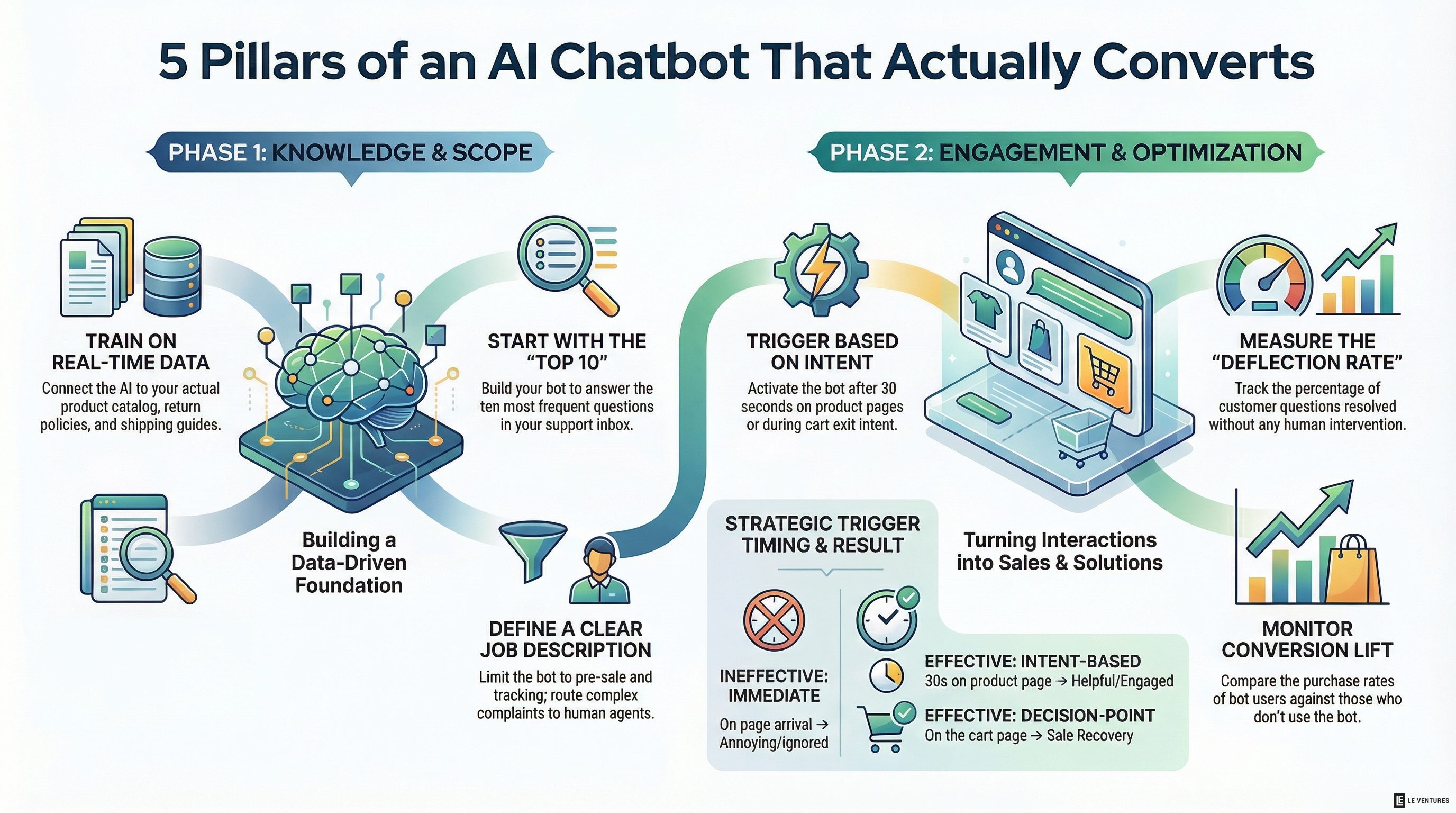
Most chatbots on ecommerce sites do one thing well: get closed.
They pop up too early, ask vague questions, and can’t answer anything useful. Customers ignore them. Store owners wonder why they bother.
But AI chatbots - when set up correctly - are a different thing. They can answer product questions, help people find the right size or variant, recover abandoned carts, and handle returns without a human involved. Brands that have set them up well are seeing real lifts in conversion rate and real drops in support tickets.
The difference between a chatbot that works and one that doesn’t comes down to a few decisions made at setup.
Start With the Questions You Already Get
The fastest way to build a useful chatbot is to look at your existing support inbox and find the 10 questions that come up most often.
“What’s your return policy?” “Does this come in size X?” “When will my order arrive?” “Do you ship to Canada?”
These are the questions your chatbot should answer first. They’re high volume, they have clear answers, and handling them automatically saves your team real time.
Don’t start with anything ambitious. Start with the questions that are already costing you support hours.
Train It on Your Actual Products
A generic AI assistant doesn’t know your products. It will hallucinate answers, give wrong information, and make you look bad.
The fix is to connect the chatbot to your real product data - your catalog, your policies, your FAQ. Most modern AI chatbot platforms let you feed in a knowledge base. Use it.
At minimum, your chatbot should know:
- Your full product catalog with descriptions and variants
- Your return and exchange policy (word for word)
- Your shipping times and costs by region
- Your size guides if you sell apparel or footwear
- Your current promotions or discount codes
The more specific the knowledge base, the more accurate the answers.
Timing Matters More Than You Think
A chatbot that opens the second someone lands on your site is annoying. They haven’t even seen your products yet.
Better triggers:
- On product pages, after 30 seconds. The visitor is engaged. A prompt like “Have a question about this product?” fits the moment.
- On the cart page. “Need help before you check out?” catches people at a decision point.
- On exit intent. If someone is about to leave with items in their cart, a proactive message can recover the sale.
- After a failed search. If someone searched for something and got no results, offer to help them find it.
Show up when you can actually help - not the moment someone arrives.
Give It a Clear Job
The brands that get this wrong try to make their chatbot do everything. It ends up doing nothing well.
Give your chatbot a defined scope. It handles pre-sale questions and order tracking. Everything else - complaints, complex returns, wholesale inquiries - routes to a human.
When customers know what the bot can and can’t do, they use it for what it’s good at. When it’s unclear, they lose trust in the whole thing.
Measure the Right Things
A chatbot that has lots of conversations isn’t necessarily a good chatbot. Measure outcomes:
- Deflection rate - what percentage of questions get answered without human involvement
- Conversion rate of chatbot users - do people who use the bot buy more often than people who don’t?
- Handoff rate - how often does it escalate to a human, and why?
- CSAT on bot interactions - are people satisfied after talking to it?
If your deflection rate is high but your conversion rate is low, the bot might be blocking sales instead of enabling them. Both numbers together tell the real story.
The Setup That Works
The chatbot setups we see performing well follow a simple pattern:
- Trained on real product and policy data
- Triggered at the right moments, not on every page load
- Clear scope - handles specific question types, routes the rest
- Integrated with order management so it can give real order status
- Measured monthly and updated as the product catalog changes
It’s not complicated. It just requires doing the setup work properly instead of installing a plugin and forgetting about it.
If you want to add a chatbot that actually helps your customers and reduces your support load, we can set it up as part of your automation stack. Start with the free audit to see where it fits.